You've added 12 tester emails — but the requirement still won't clear. The catch: a tester only counts once Google Play detects them as both enrolled and installed. Here are the two checks that confirm your testers are actually being counted toward the 14-day rule.
Why verification matters
Adding an email to your tester list does nothing on its own. Google only counts a tester once they've opted in through your link and installed the build from the testing track. If your enrolled or installed numbers are short, the 14-day clock can stall — so it pays to verify before you assume the countdown is running.
Check 1 — Confirm testers are ENROLLED
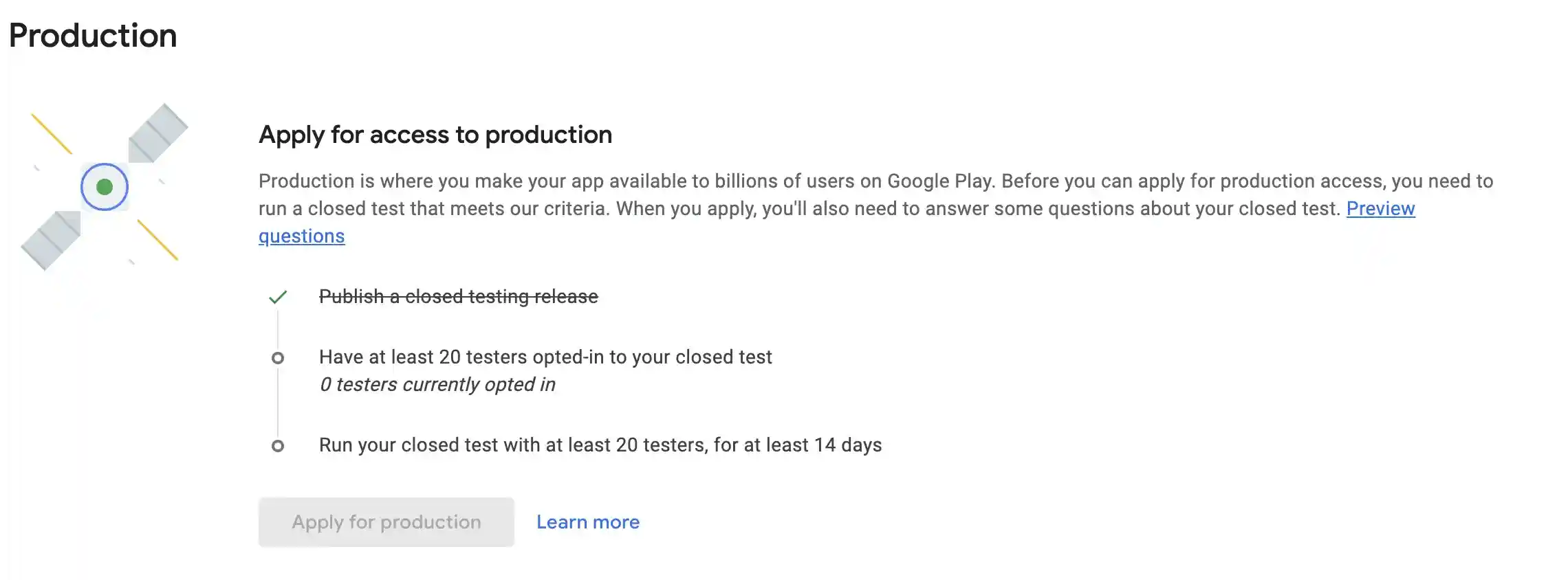
In Play Console, open your app and go to Test and release → Closed testing (or the Production access page). Look for the opted-in tester count — you need at least 12 testers (20 for newer personal accounts) showing as currently opted in. If it reads fewer than that, some testers haven't joined through your link yet.
Check 2 — Confirm testers actually INSTALLED
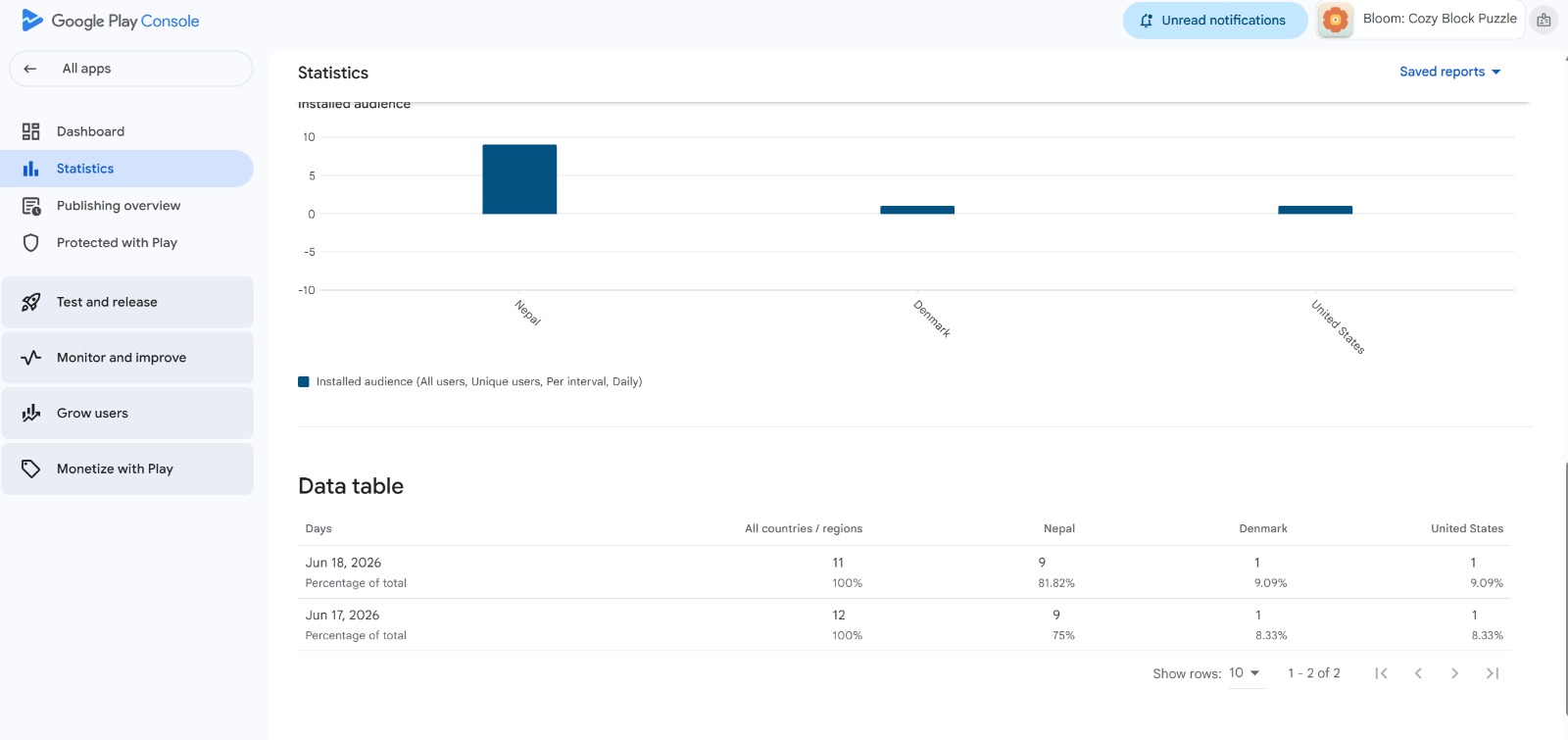
Enrolled isn't enough — testers have to install. In Play Console → Statistics → Installed audience, check the daily install counts. This proves testers opted in via your link and installed the build from the closed-testing track, which is what genuinely counts.
If a tester isn't showing up
When someone you added isn't being counted, it's almost always one of these:
- They didn't join through your opt-in / Google Group link.
- They installed from a different Google account than the one enrolled.
- They downloaded the app outside the Play Store testing track.
- They uninstalled before the 14 days completed.
Fixing any of these usually means re-sending the correct opt-in link and confirming the tester installs on the same account they enrolled with.
What it looks like when everything counts
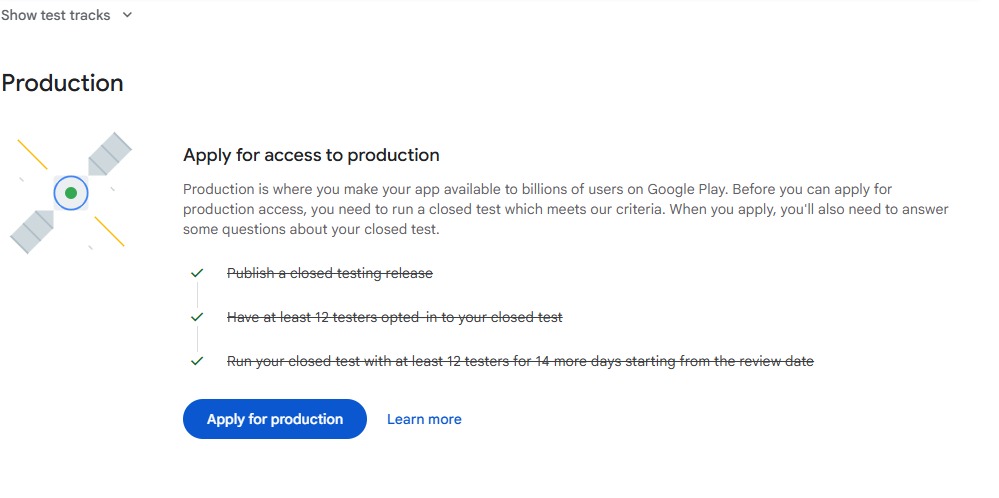
Once all three criteria are met — a published closed-testing release, enough opted-in testers, and the full testing period — every requirement shows a green check and the "Apply for production" button turns blue and becomes clickable. That's your signal the test has been counted and you're clear to apply.
Skip the guesswork — get testers that are verified to count
AppTesterHub supplies real, verified testers who enroll and install correctly, and we monitor enrolled + installed status across all 14 days — so the requirement actually clears.
Get Verified TestersFrequently Asked Questions
How do I check if my testers are counted by Google Play?
Run two checks in Play Console. First, confirm testers are ENROLLED under Test and release > Closed testing (or the production-access page) - you need 12+. Second, confirm they INSTALLED under Statistics > Installed audience, which proves they opted in through your link and installed the testing build.
Why are my testers not counting toward the 14-day requirement?
A tester only counts once Google detects them as both enrolled and installed. Common reasons they don't count: they didn't join through your opt-in or Google Group link, installed from a different Google account than the one enrolled, downloaded outside the testing track, or uninstalled before 14 days completed.
Where do I see the installed audience in Play Console?
In Play Console, open your app and go to Statistics > Installed audience. The daily install counts there confirm testers opted in via your link and installed the build from the closed-testing track.